PrintFarmer ERP
Tell us you’re interested

Which plate is whose,
and has it been paid for?

PrintFarmer is an ERP for 3D print shops. The enquiry, the quote, the plates, the parcel, the invoice and the payment sit on one record, so the answer is on the screen and not in a chat thread.

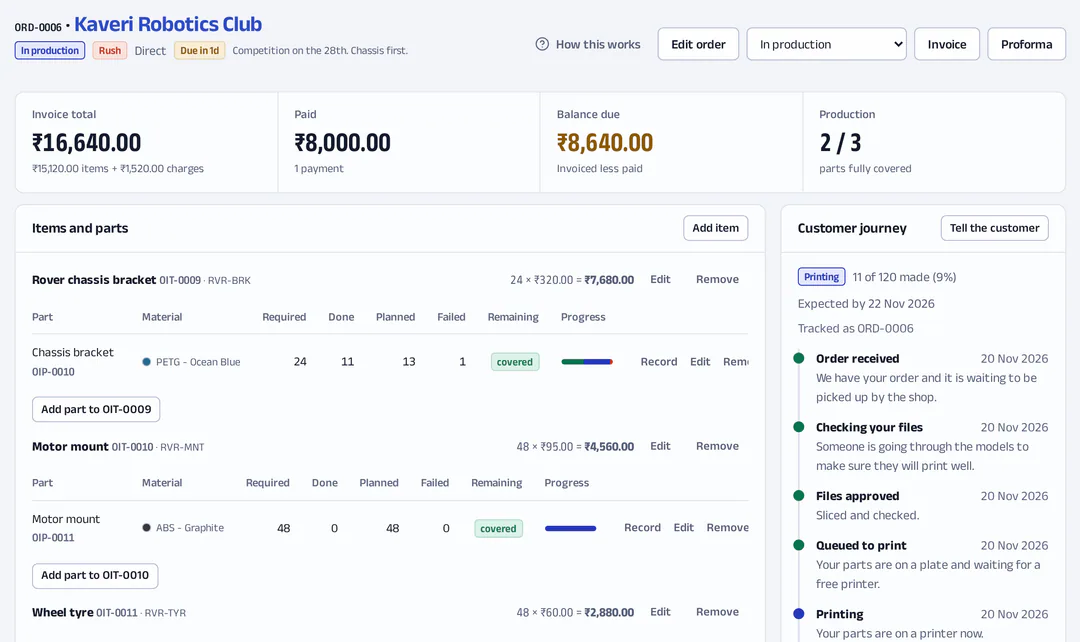
An order in the app: ORD-0006 for Kaveri Robotics Club, with its invoice total, what has been paid, the balance due, each part’s progress across plates and the journey the customer is shown.
  1. ORD-0006. Kaveri Robotics Club.
  2. Chassis bracket: 11 of 24 made, 13 on plates.
  3. ₹8,000 paid. ₹8,640 due.
  4. The customer sees: Printing.
Demo data for an invented shop.

It is not open to other shops yet. When it is, a workspace starts with a chart of accounts, expense categories and a material gallery, so you can raise an order straight away. Tell us you’re interested

Built for one working print shop, which runs its orders on it today. That is the only proof so far. There are no logos to show and no numbers to quote.

Where the order lives right now

Most shops are not disorganised. The order is in four places, and none of them knows about the others.

  • The bench

    Forty finished plates and one sticky note. Somebody knows which are the keychains for the wedding order. That person is at lunch.

  • The chat

    “Where is my order?” at 9 pm. To answer, you walk to the printers.

  • The payment

    A UPI screenshot in a chat, three weeks old. Was it the advance or the full amount? Was an invoice ever sent?

  • The shelf

    Part 31 of 50, and the spool in the customer’s colour runs out. The next one is four days away.

Printer tools do not fix this, because none of it happens inside the printer. Billing apps do not fix it either, because they have never heard of a plate.

One order, one chain

Every step is attached to the one before it. You can start at any link and walk to any other.

  1. Enquiry
  2. Estimate
  3. Order
  4. Plates
  5. Print
  6. Pack
  7. Invoice
  8. Payment
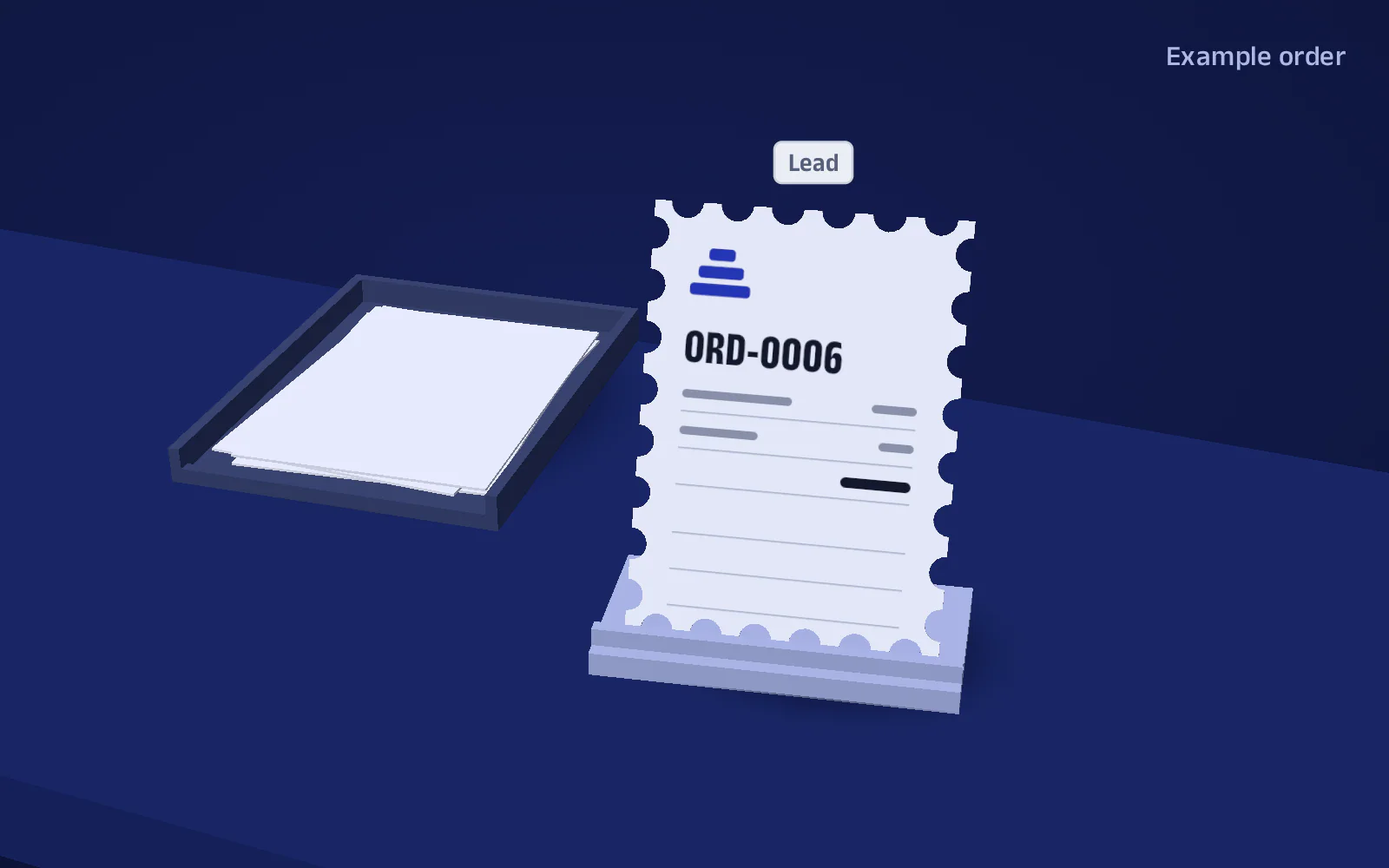
Status: Lead. Example order ORD-0006.
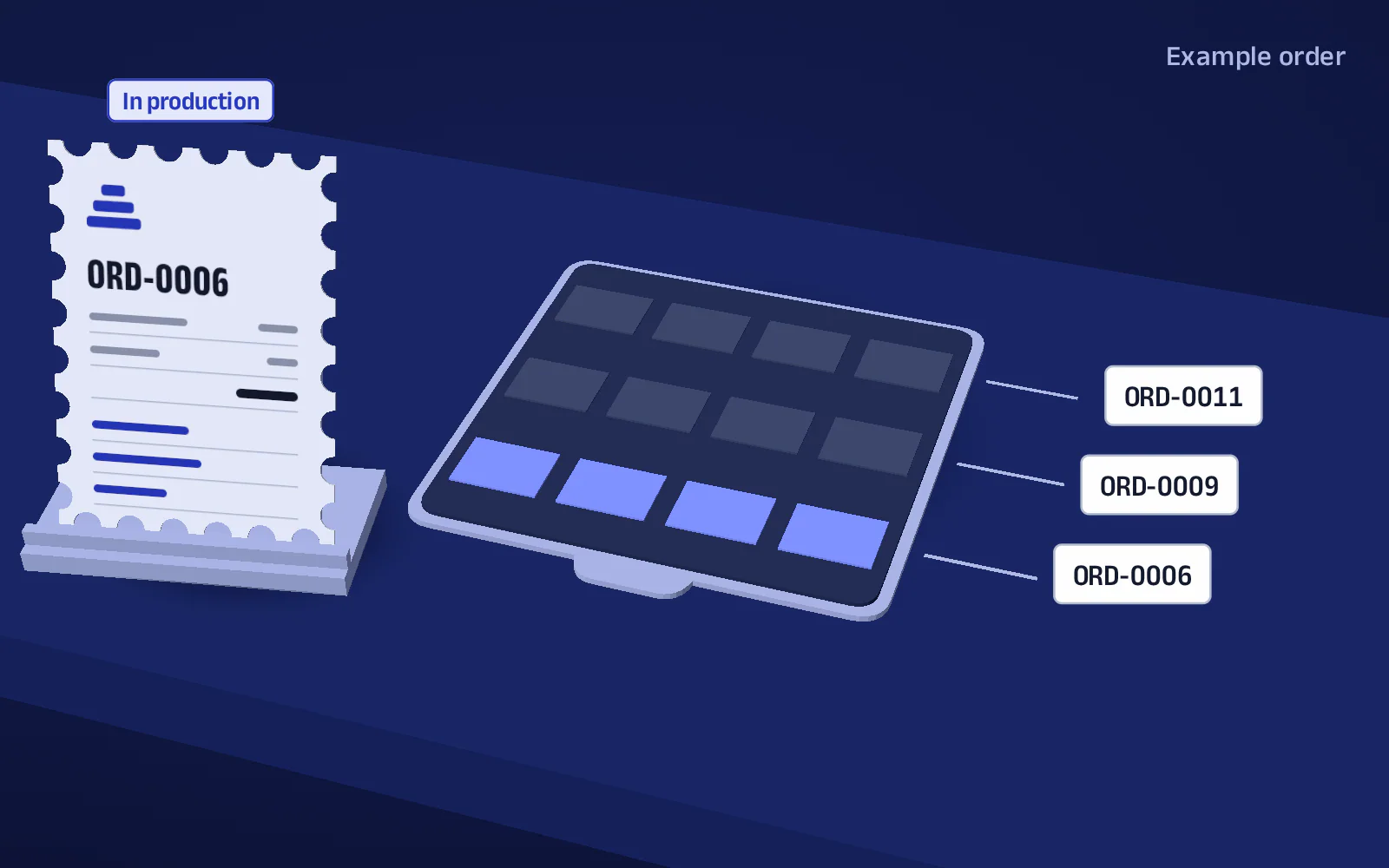
Status: In production. One plate holds parts for ORD-0006, ORD-0009 and ORD-0011. Example.
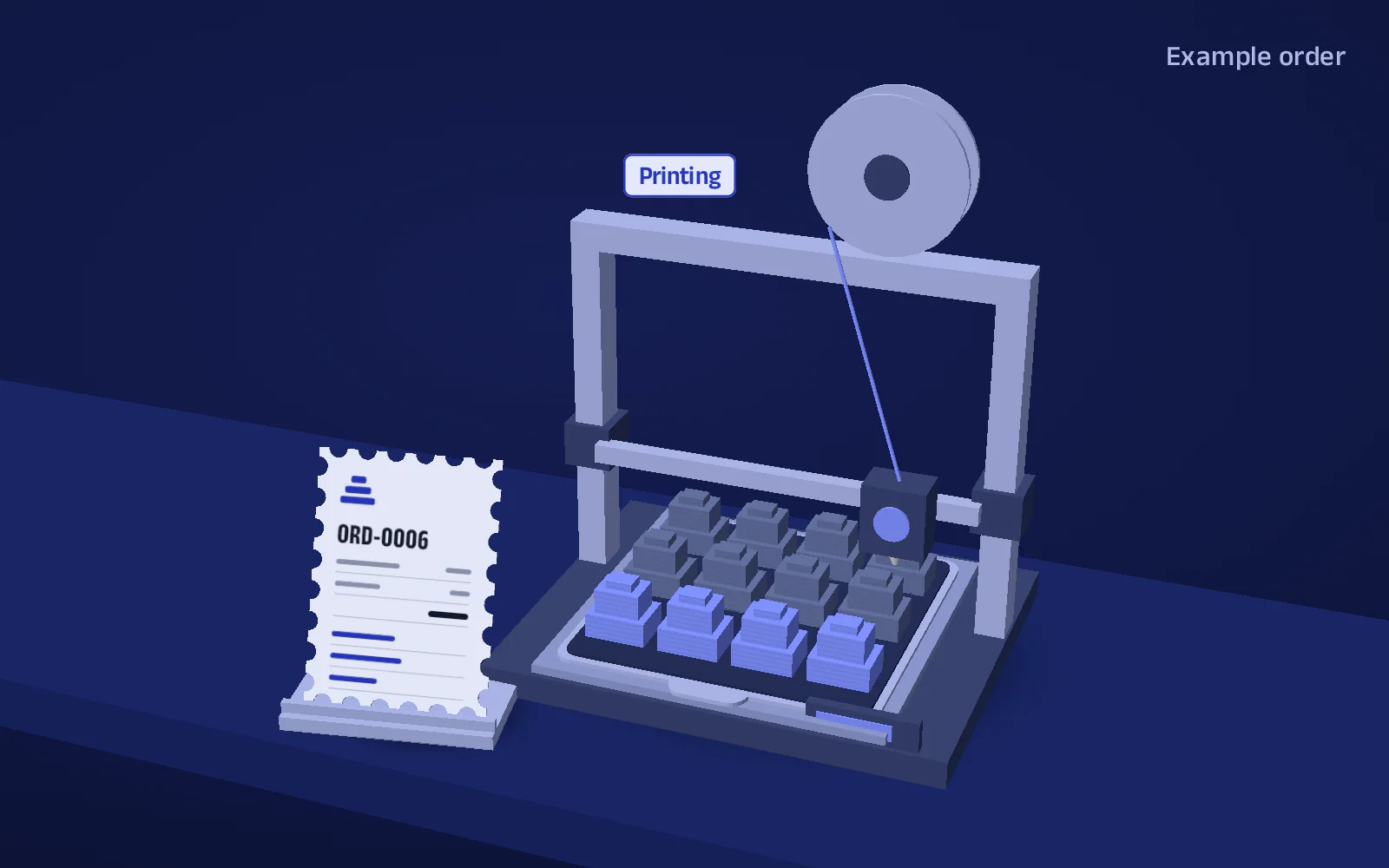
Plate status: Printing. Four of the parts on it are for example order ORD-0006.
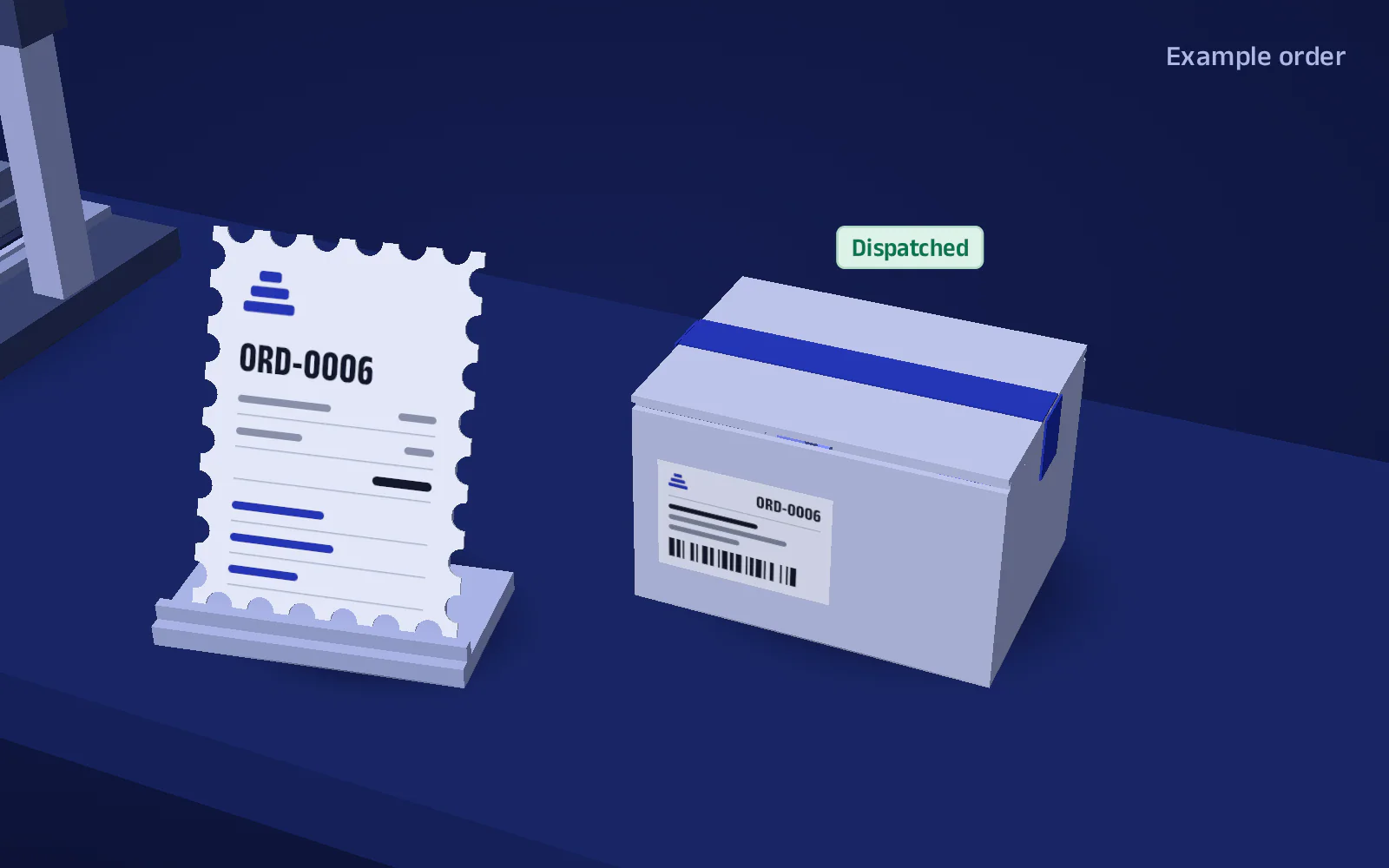
Parcel status: Dispatched. Example order ORD-0006.
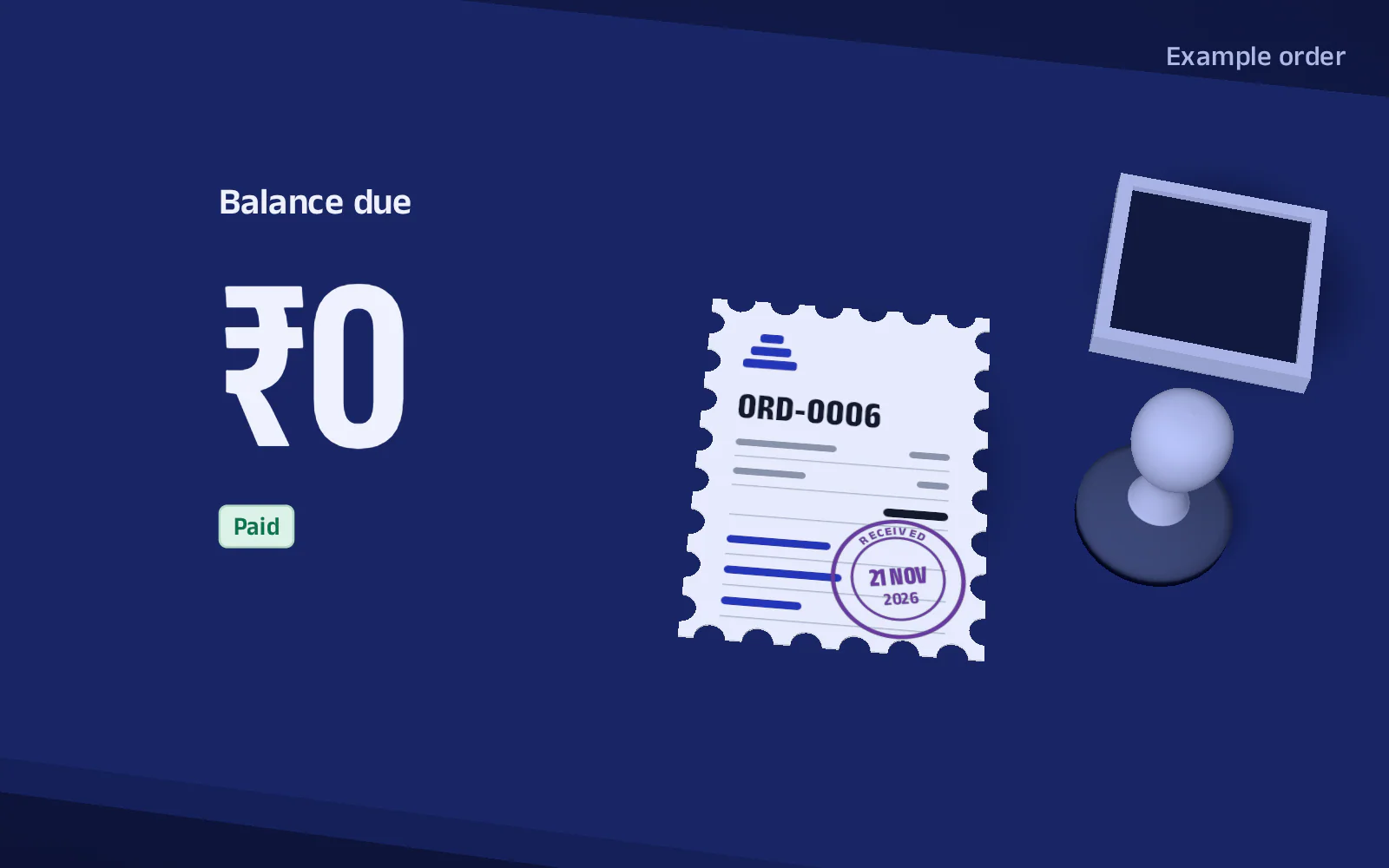
Balance due ₹0. Paid, and stamped received. Example order ORD-0006.

Later sections take the links one at a time.

What it does

Enquiry, Estimate

An enquiry is not an order, and the app knows the difference

Today

Someone asks for a price on Instagram. You quote, they go quiet, and either you forget them or they sit in your order list looking like work.

In PrintFarmer

  • Intake asks which one this is. A lead is an enquiry with the price you offered. It stays out of every worklist and report until it becomes a sale.
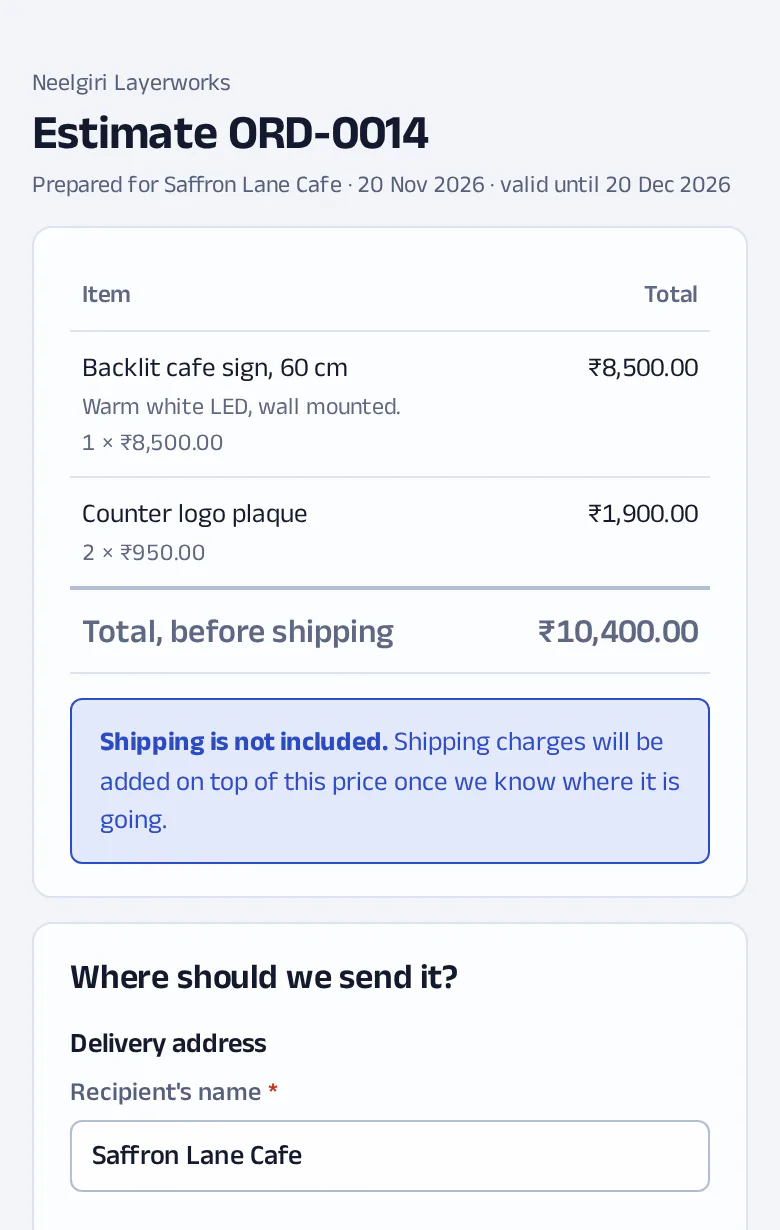
  • Send the estimate as a link. The customer opens it without an account and sees the price. They give their name, phone and address, and typing the pincode fills in the city and state. The link is good for 30 days.
  • Shipping not priced yet? The estimate says “Total, before shipping” in so many words.
  • Their answer never confirms the order. That stays your move, after you have checked the price.
  • You send the link yourself: copy it, or pass it on by WhatsApp or email. Nothing leaves the app on its own.
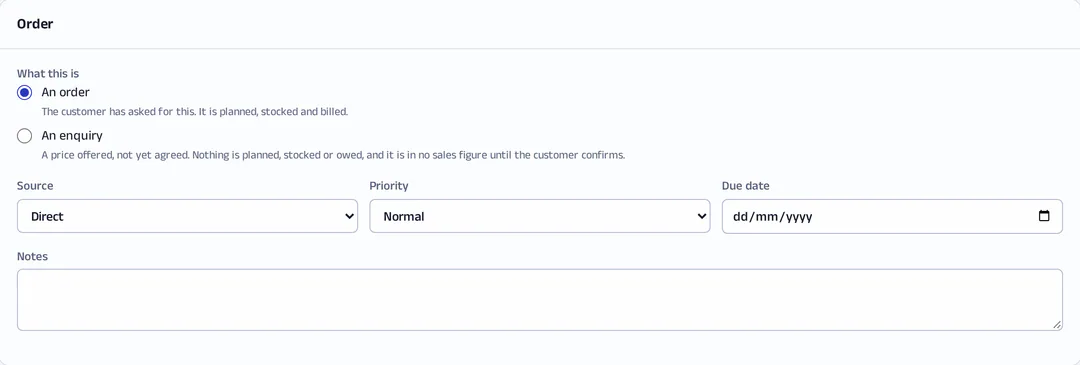
The new order form’s first question: is this an order, or an enquiry with a price offered and nothing agreed yet.
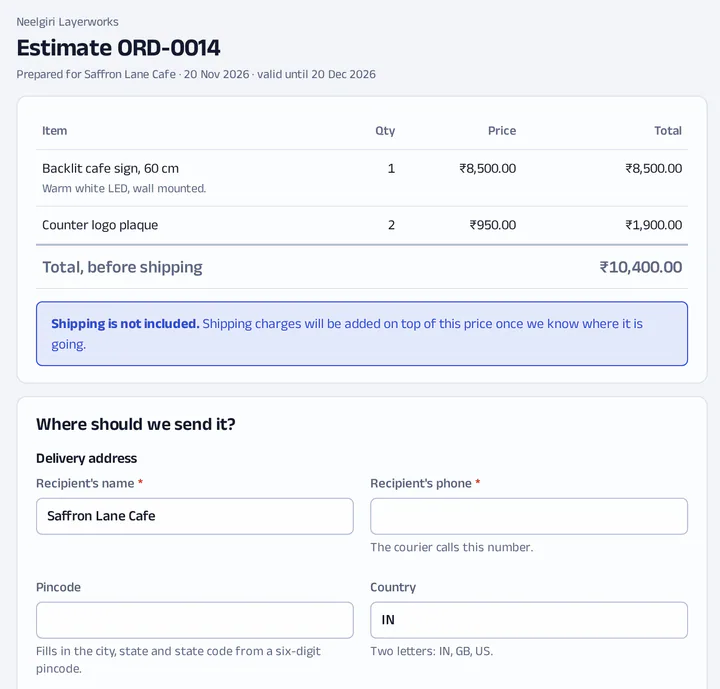
The estimate a customer opens on a phone, under the shop’s own name: two items, a total before shipping, a note that shipping is not included, and where to send it.
Plates, Print

Every plate knows whose parts are on it

Today

The slicer knows what is on the plate. Nobody wrote down which order it was for, and a failed plate quietly becomes a short shipment.

In PrintFarmer

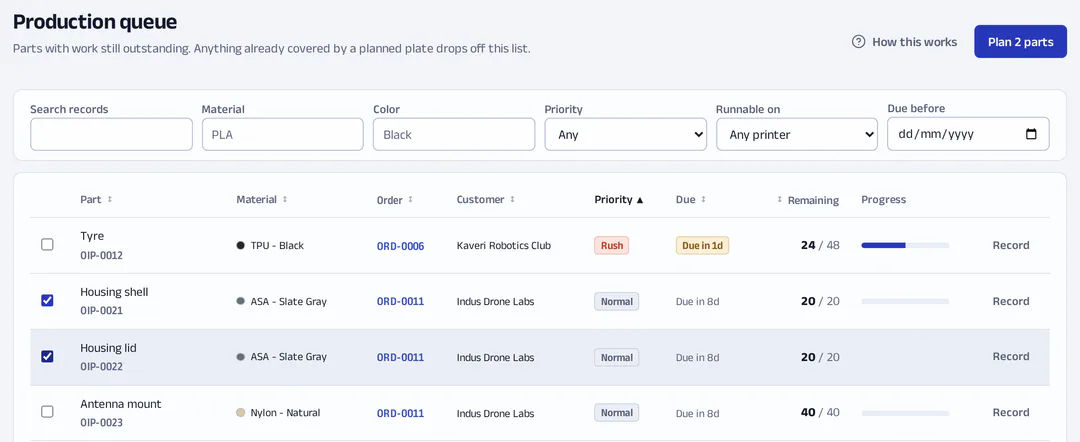
  • The production queue lists every part still owed, across all orders. Select rows and carry them into a plate.
  • Put more on a plate than the order needs and it tells you as you type. You can override, with a reason. The field says why: “this is the audit trail.”
  • A part can need several filaments.
  • You assign plates to printers. The app says so itself: “Assignment is manual; nothing is scheduled for you.”
  • When a plate finishes, a person records the result. A failure sends those parts back to reprint planning instead of losing them.
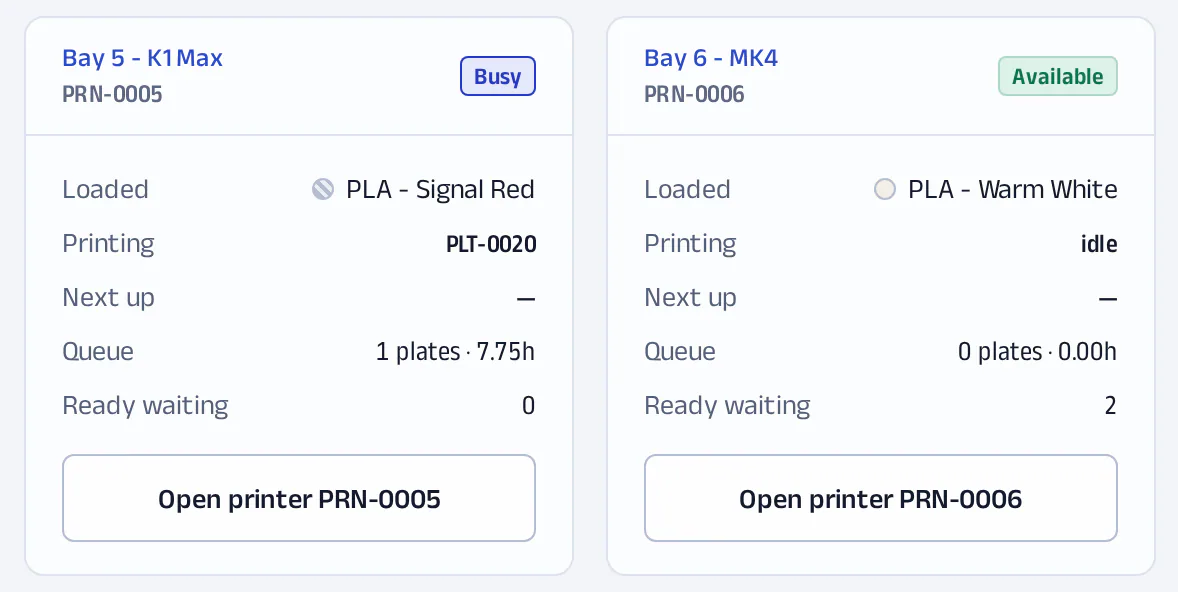
  • The printers screen shows each machine’s status, active plate, queue depth and queued hours. It is built from what your people record, which is why it works with any printer brand.
The production queue with two parts ticked and the button to plan them onto a plate.
Two printers, one busy and one available, each with its loaded material, the plate it is printing, what is next and how many hours are queued.
Records people enter. Not telemetry.
Print, Pack

Stock you can weigh

Today

The filament sheet says 600 g. The spool says otherwise. Somebody saved over the file last week.

In PrintFarmer

  • Stock is a ledger of movements. Nobody “sets” on-hand to a number; it is the sum of what came in and what went out, so there is always a reason for the figure.
  • Each spool carries its tare weight. A stocktake is putting it on a scale.
  • Recording a plate’s result prefills the grams it used. Waste is recorded apart from usage.
  • It tells you the shortfall for orders you have already accepted, before part 31.
  • Magnets, inserts and mailers are stocked the same way as filament.
  • Print QR stickers for spools and other stock. Scanning one with a phone opens that lot.
One spool, as movementsExample
  1. Received+1,000 g
  2. Used on a plate−652 g
  3. Waste−48 g
  4. Stocktake by scale−15 g

On hand285 g

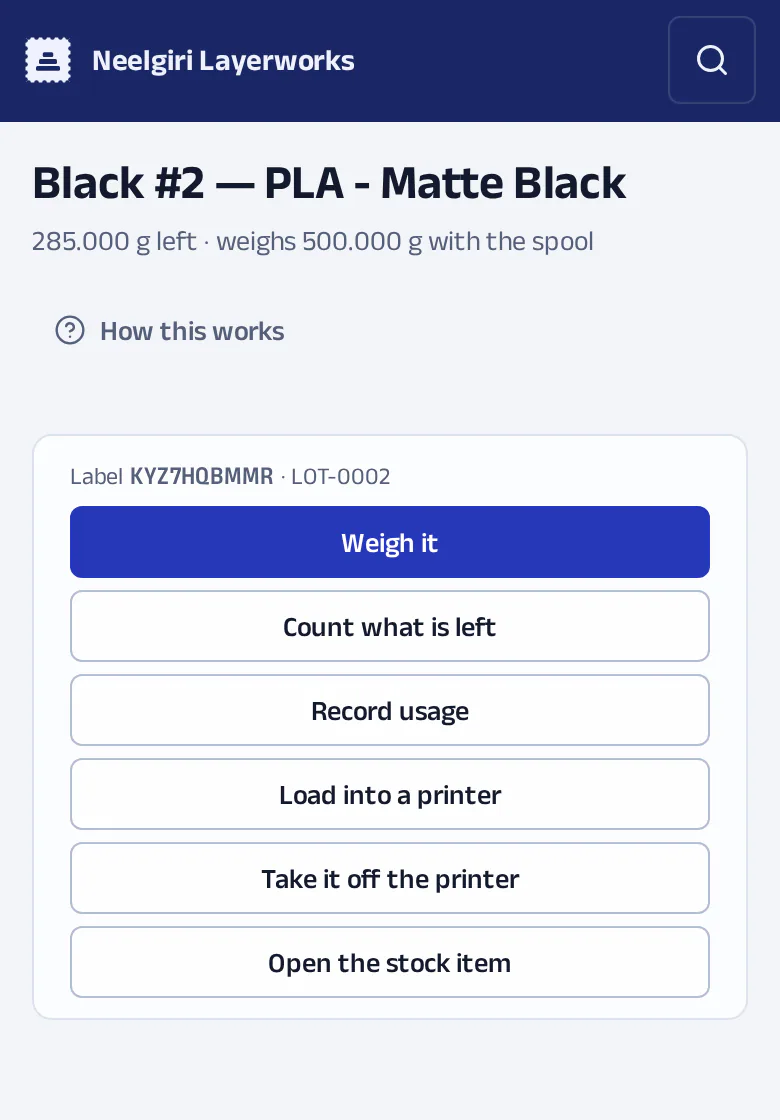
The scale reading 500 g gross minus 215 g tare is 285 g.

The page a spool’s QR sticker opens on a phone: how much is left, and buttons to weigh it, count it, record usage or load it into a printer.
Pack

Stop retyping addresses into the courier form

Today

Packing day is copying an address out of a chat into Shiprocket, one order at a time, and hoping the pincode was right.

In PrintFarmer

  • Plan an order’s boxes as soon as you know them: size and weight, as many as it takes. Planning tells the customer nothing.
  • Get live Shiprocket rates on that plan, at quoting time if you need to.
  • Book the parcel, arrange pickup, sync tracking and cancel, without leaving the order.
  • Print the day’s labels together.
  • A parcel freezes the address and the declared weight when it is made. A customer who moves afterwards does not rewrite where last month’s parcel went.
  • A list shows the orders that ship but have no address yet, so that is cleared before packing day and not during it.
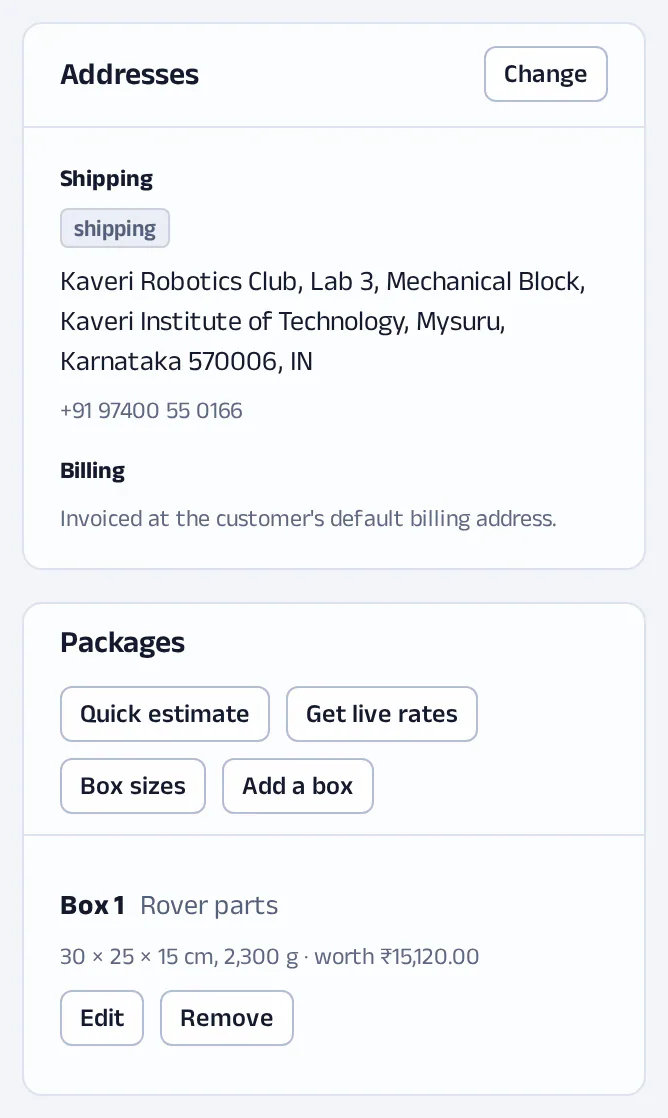
An order’s shipping address and, under it, the box planned for it: its size, weight and declared value, with a button for live rates.
Order
Address

References the address. Change it before dispatch and the parts go to the new place.

Parcel
Address

Copies the address. A later change does not rewrite where it went.

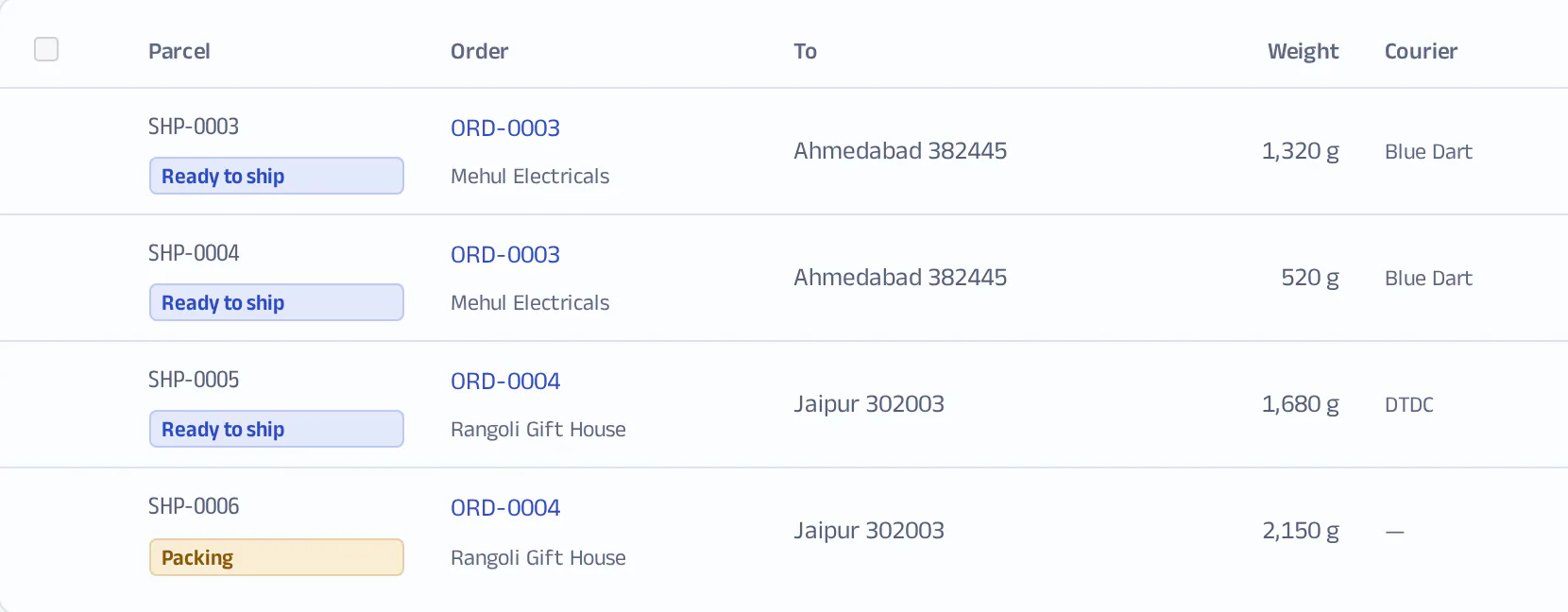
The day’s parcels in one list: each with its order, where it is going, its weight and its courier.
Invoice, Payment

An advance is not income yet

Today

Half up front by UPI, the rest on delivery, an invoice if they ask. At month end you know what is in the bank and not what you are owed.

In PrintFarmer

  • Seven documents, each a real issued record: quote, proforma, tax invoice, debit note, credit note, receipt and delivery note. Each has its own number series and is frozen when issued, with your letterhead as it was that day.
  • Bill-to, ship-to and the tax number print on the document.
  • Record payments by UPI, bank transfer or other methods, and apply them to the invoices they settle. Money not yet applied is an advance, and the books treat it as something you owe, not something you earned.
  • Aged receivables and customer statements show who owes what and for how long. When nothing is owed, the screen says “Everything is settled.”
  • Cancelling an order asks what happens to the money: refund all, part or none, with a reason.
  • Link an expense to the order it was for.
  • Reports cover sales, payments, expenses, net cash, production, orders and cancellations, with the Indian financial year as a date preset. Each downloads as CSV.
An advance, then an invoiceExample. ORD-0006.
  1. Advance received₹8,000Owed to the customer until it is applied.
  2. Invoice issued₹16,640Frozen as issued.
  3. Balance due₹8,640Invoiced less paid.

Applied ₹8,000Due ₹8,640

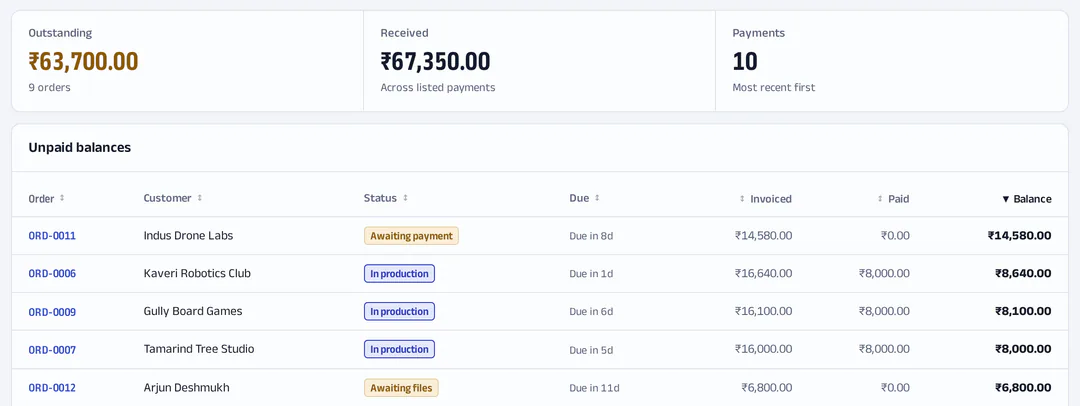
The payments screen: what is outstanding, what has been received, and each order’s unpaid balance.

A laptop at the desk, a phone at the printer

The owner quotes, plans and invoices from a desk. Whoever is at the printers needs one thing: what to run next, and somewhere to say how it went. It is the same app, laid out for each. Often it is the same person, an hour apart.

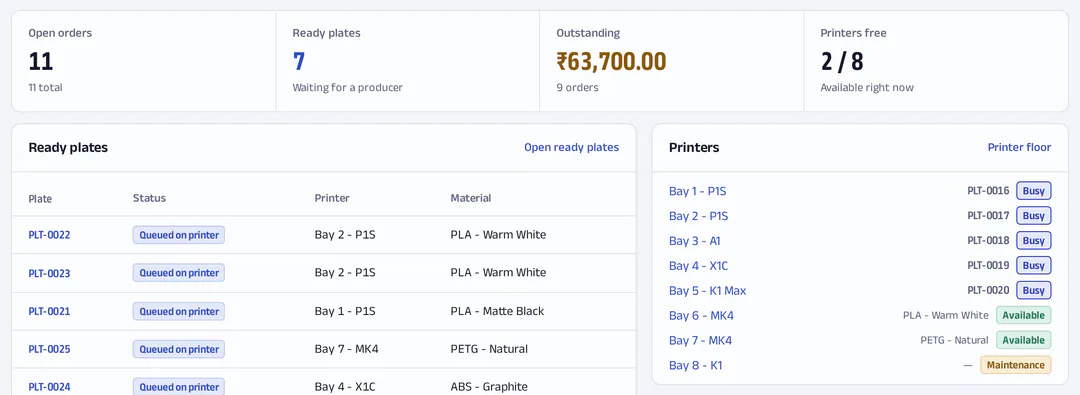
The dashboard at a desk: open orders, ready plates, what is outstanding and how many printers are free, over the ready plates and each printer’s status.
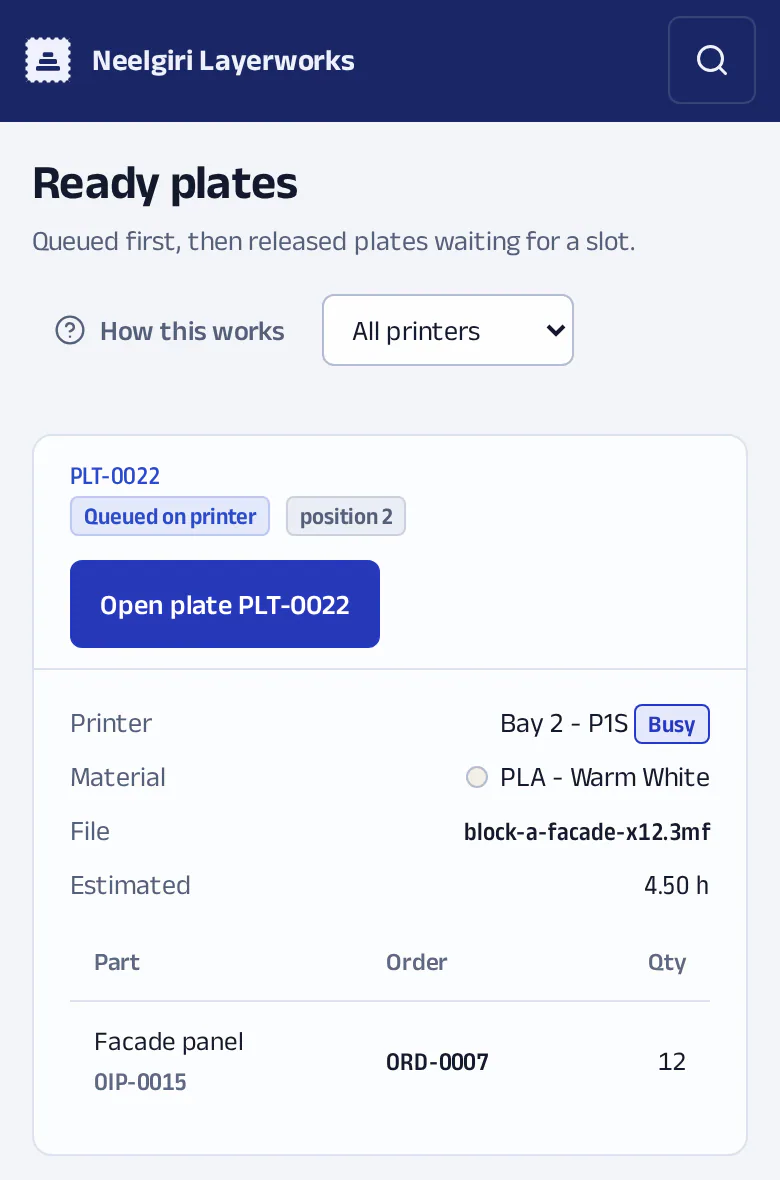
Ready plates on a phone at the printers: one card per plate, with a large button to open it, its printer, material, file and parts.

Desk

  • Dense tables and long forms.
  • Search by code or name, across everything.
  • Light and dark themes.

Floor

  • Ready plates as large cards on a phone.
  • Record a result in a few taps.
  • Scan a spool’s QR sticker.

People see what their job needs

  • Four roles: producer, planner, admin and super admin.
  • Exceptions per person where a role does not fit. The rule is one line: “A denial beats a grant, and beats the role.”
  • Colleagues join by an invitation link you send them.
  • Every write that moves money or changes a plate is logged with it.

Your name on everything they see

Customers never sign in. They open an estimate and a document, both under your shop’s name. If you have not set a logo, the invoice prints none; ours does not stand in for it. The estimate link itself is on app.printfarmerp.com. Progress is published as a read-only feed for your own tracking page; PrintFarmer does not host that page.

An estimate page under the shop’s name: two items, a total before shipping, a note that shipping is not included, and the start of an address form.
The estimate link. The price, and a short form for who they are and where it goes.
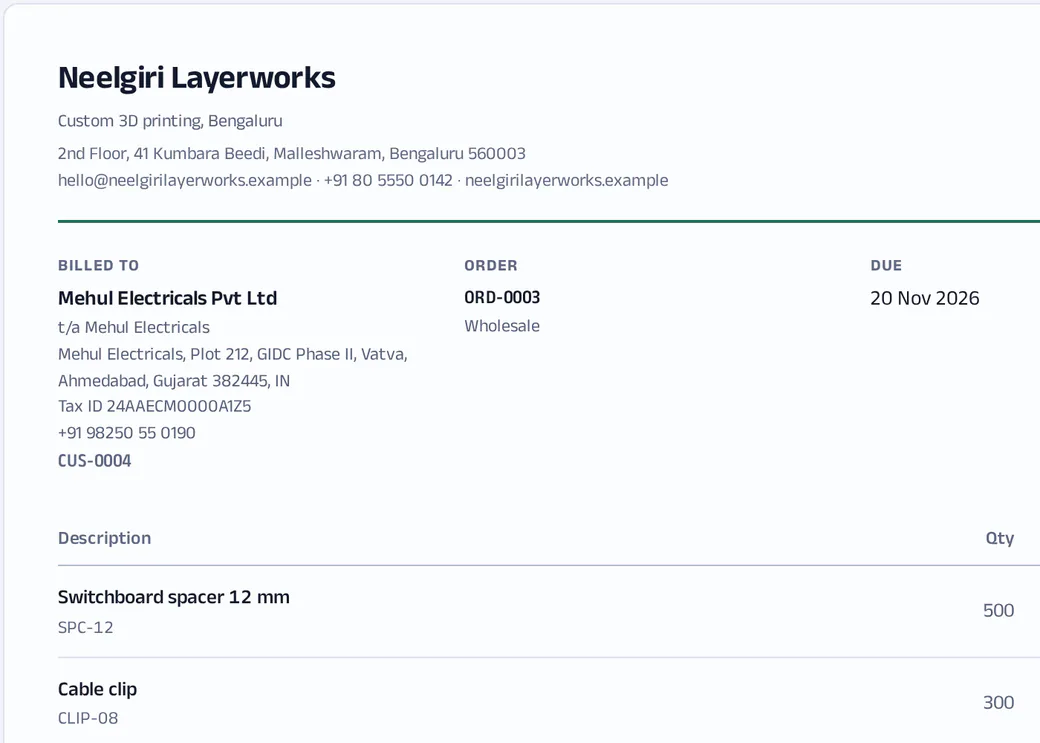
The top of an invoice on the shop’s letterhead: the shop’s name and address, who it is billed to with their tax number, the order and the date it is due, and its first two lines.
The document. Your letterhead, frozen as issued. Printed or saved from the browser.
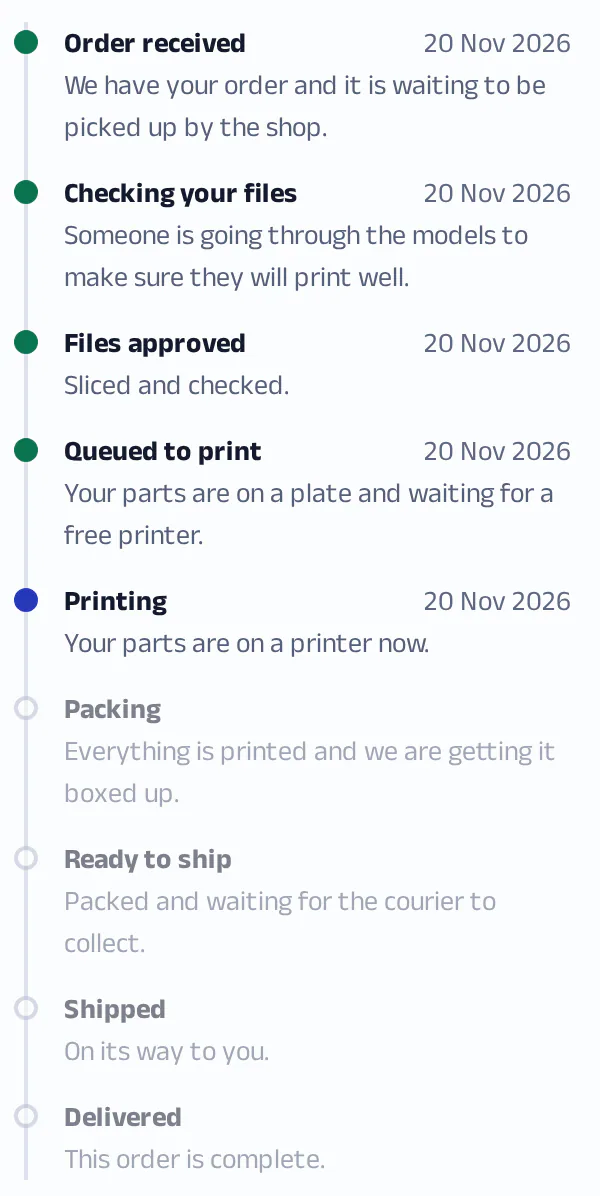
An order’s journey on the shop’s order screen, in the customer’s words: Order received, Checking your files, Files approved and Queued to print are done, Printing is current, and Packing, Ready to ship, Shipped and Delivered are still to come.
The journey. As your order screen shows it. The same stages, in the same words, are in the public feed.
  • Printinga plate that started printing
  • Shippeda parcel with a dispatch date

The journey is worked out from what actually happened: a plate that started printing, a parcel with a dispatch date. A status dropdown cannot tell a customer their parts are printing when no printer is loaded.

When you close an order, the app offers a ready-written review request and your review links. You decide whether to send it.

What it connects to, and what it does not

Shopifyorders in
PrintFarmer
Shiprocketrates and bookings out, tracking back
Your agent, over MCPsame permissions as its owner
Your printer toolstays as it is
  • Shopify. Your store is connected by an app install. Orders are pulled in on a schedule, checked against Shopify’s own total, and refused if they do not match. Variant details such as filament, colour, file, layer height, infill and print time arrive as a part ready to plan.
  • Shiprocket. Your own account: rates, booking, pickup, tracking, cancellation and labels.
  • Materials. Bring your filament list in from a CSV or Excel file.

What it does not do

  • It does not talk to your printers. No monitoring, no sending jobs, no slicing. Keep the tool you use for that.
  • It does not schedule for you.
  • It does not collect payments. You record them.
  • It does not send emails or WhatsApp messages. You send the link.
  • It does not file GST. See the questions below.

An agent can do what you can do, and no more

  • PrintFarmer has an MCP server with 58 tools across orders, plates, stock, shipping, documents, payments and reports.
  • An agent works with one person’s key, under that person’s permissions and the same rules as the screens.
  • There are dry-run tools, so it can check a change before making it.
  • You do not need an agent. Nothing in the app depends on one.

One price for the shop. Printers and people are not counted.

Plans go by confirmed orders in a month. Enquiries and estimates never count.

Free

₹0a month 

  • 50 confirmed orders a month
  • 2 people: one at the desk, one at the printers
  • Orders, plates, stock, invoices and payments
  • Shiprocket rates, bookings and labels
  • Agents can read through MCP
  • Help from the in-app guides

Shop

₹999a month, billed yearly (₹11,990)or ₹1,249 month to month

  • 500 confirmed orders a month
  • Unlimited people and printers
  • One connected Shopify store
  • Shiprocket rates, bookings, labels and tracking
  • Agents can read and write through MCP
  • Help by email

Farm

₹2,999a month, billed yearly (₹35,990)or ₹3,749 month to month

  • 2,500 confirmed orders a month
  • Up to 3 connected stores
  • Everything in Shop
  • A setup call to configure your workspace
  • Your questions go to the front of the queue

The first 25 workspaces get year one of Shop for ₹7,490 instead of ₹11,990, paid once when billing opens. Year two is the list price.

It is not launched yet. These are the prices we plan to charge when it opens, and nothing is charged until then. Prices exclude GST. Plan limits are not enforced yet, and help by email and setup calls begin when billing opens. Outside India: $39 and $99 a month; USD billing is not open yet.

What counts as an order?
One you have confirmed. Leads, estimates and dropped enquiries never count.
What if I go over?
Nothing stops on a paid plan. More than 20% over for two months running, and the plan moves up at your next renewal, with 30 days’ notice. On Free, after two months over, confirming new orders needs a plan.
Do you charge per printer or per person?
No.
Is GST included?
Prices exclude GST and none is charged at present, so we cannot yet issue a GST invoice for input credit.

Questions a shop owner should ask

I only have four or five printers. Is this too much?

It depends on your orders, not your printers. If every order is paid up front and ships the same day, you may not need it. If you take advances, quote before you print, or have ever lost track of which plate was whose, start with orders and payments alone. Plates, stock and shipping are there when you want them, and nothing makes you use them first.

I already use Bambu Farm Manager, SimplyPrint or another printer tool. Does this replace it?

No. Keep it. Those tools send jobs to printers and watch them. PrintFarmer does not connect to printers at all. It starts where they stop: who ordered, what was promised, what has shipped, what is owed. A person records what came off the plate, which is also why it works with any printer brand.

Does it do GST invoices?

Not yet, and here is exactly where it stands. Customers and your business can carry a GSTIN and registered address, an order has a bill-to and a ship-to, and all of that prints on the document. Tax today is an amount you enter on a charge. It is not worked out per line from a rate, lines do not carry HSN codes, and there is no e-invoicing, e-way bill or filing.

If you are not GST-registered, none of this affects you. If you are, keep your accountant’s software for tax invoices for now.

Does it collect payments or message customers for me?

No. You record a payment after it arrives, by UPI, bank transfer or otherwise, and apply it to an invoice. There is no payment gateway and no UPI collect request. The app sends nothing on its own: you copy an estimate link or a review request and send it through whatever you already use.

My orders come from Instagram and WhatsApp, not a store. Does it still work?

Yes. That is the normal case. You enter the order in one form: the customer, the items and each item’s parts. If you also run a Shopify store, its orders come in by themselves. Etsy and Amazon are not connected.

Can I get my data out, and who else can see it?

Every report downloads as CSV: sales, payments, expenses, net cash, production, orders and cancellations. Documents print or save from your browser. There is no single “export everything” button yet, and a workspace cannot be deleted from inside the app yet.

Each shop is its own workspace, and the database itself refuses a query that reaches across workspaces. Inside yours, people see what their role allows.

Who else uses it?

One print shop, the one it was built for, which runs its orders on it every day. There are no other customers yet, so there are no testimonials or figures on this page. What it means for you: the product is shaped by real orders, and you would be early.

When can I start using it?

Not yet. It runs one print shop today and is not open to other shops. There is no date to give. Leave your name and email in the form on printfarmerp.com and we will write to you when it is ready.

Guides for running a print shop

Pricing, paperwork and software, worked through in rupees with every figure dated and sourced.

All guides

Tell us about your shop

PrintFarmer is not launched yet. Fill this in and we will write to you when it is ready.

For example Instagram, WhatsApp, a Shopify store or walk-ins.

What you would want it to do first, or what would stop you using it.

We keep what you fill in here, the page you came from, your browser’s name and a one-way scramble of your IP address, and use them only to write to you about the launch.

Run one real order through it

On the day it opens, take the next enquiry that comes in. Write it down as a lead, send the estimate, plan the plate, book the parcel, issue the invoice, record the payment. If the chain holds for one order, it holds for the rest.

It is not launched yet. We will write to you when it is ready.

  1. Enquiry
  2. Estimate
  3. Order
  4. Plates
  5. Print
  6. Pack
  7. Invoice
  8. Payment